
LogMeOnce is a trusted cloud-based password manager designed to protect your online accounts and sensitive information from cyber threats. As we enter 2026, the need for strong online security is more important than ever—cyber attacks are becoming more sophisticated and can target anything from personal emails to financial accounts.
You need a reliable solution for password protection, and that’s exactly what LogMeOnce offers. This comprehensive password manager does more than just store your passwords securely; it also provides advanced features for identity protection that keep your digital presence safe on all your devices.
The risks are real: data breaches, phishing scams, and automated attacks happen every day. By using a powerful tool like LogMeOnce, you can greatly improve your defense against these online threats. With LogMeOnce, you’re not just saving passwords—you’re creating a strong barrier around your digital identity.
When looking for the best password manager in 2026, you’ll discover that LogMeOnce stands out from traditional password management solutions with its combination of security, convenience, and innovative features.
Understanding LogMeOnce: A Comprehensive Overview
LogMeOnce is a cloud-based password management tool built to address the growing complexity of maintaining secure digital identities. At its core, this platform serves as a centralized security hub where you can store, organize, and access your login credentials through an encrypted vault. The service eliminates the need to remember dozens of unique passwords while simultaneously strengthening your defense against unauthorized access attempts.
The architecture of LogMeOnce relies on cloud technology, meaning your encrypted data synchronizes automatically across all your connected devices. This design choice offers you the flexibility to access your passwords whether you’re working from your desktop computer, checking emails on your tablet, or making a quick purchase from your smartphone. The encrypted vault employs advanced encryption standards to protect your sensitive information, ensuring that even if someone intercepts your data during transmission, they cannot decipher the contents without your master password.
Key Features That Define LogMeOnce
The platform distinguishes itself through several core capabilities that address modern security challenges:
- Unlimited password storage without restrictions on the number of credentials you can save
- Cross-device synchronization that keeps your vault updated in real-time across all platforms
- Biometric authentication options including fingerprint scanning and photo login for faster access
- Built-in password generator that creates complex, unique passwords automatically
- Two-factor authentication integration adding an extra verification step to your login process
- Secure storage for notes and files beyond just passwords
- Password health monitoring that evaluates the strength of your existing credentials
Universal Platform Compatibility
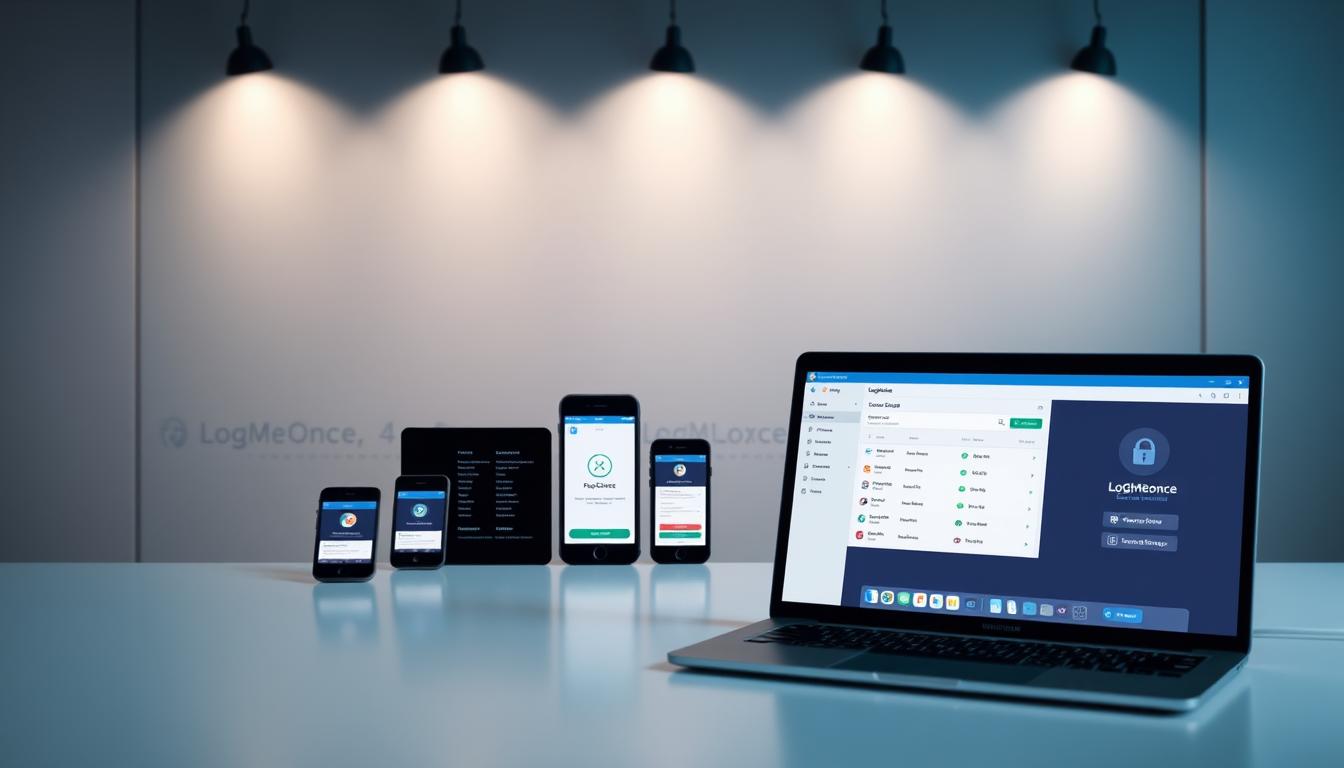
LogMeOnce supports an extensive range of devices and browsers, making it accessible regardless of your preferred technology ecosystem. You can install browser extensions for Chrome, Edge, Firefox, and Safari, allowing you to autofill passwords directly within your web browser. The mobile applications for Android and iOS provide the same functionality on smartphones and tablets, ensuring you maintain consistent security practices across every device you own.
This comprehensive compatibility means you don’t need to compromise on security when switching between your work laptop, personal tablet, or mobile phone. The seamless integration across platforms creates a unified security experience that adapts to your digital lifestyle rather than forcing you to adapt to the tool’s limitations.
1. Enhanced Security Features of LogMeOnce
LogMeOnce delivers unlimited password storage that removes the constraints you might experience with other secure password manager solutions. You can store every single credential you need—from work accounts to personal banking logins—without worrying about hitting a storage cap. The platform automatically syncs these passwords across all your connected devices, ensuring you have immediate access whether you’re working from your desktop, checking emails on your tablet, or making a purchase on your smartphone.
Biometric Login: Your Body as the Key
The biometric login capabilities transform how you access your vault. You can authenticate using facial recognition through photo login or fingerprint scanning, depending on your device capabilities. This approach eliminates the need to remember a master password for everyday access while maintaining robust security standards. When you’re rushing to log into an account, a quick fingerprint scan gets you in within seconds—no typing required.
The photo login feature uses advanced facial recognition technology that adapts to changes in your appearance over time. You don’t need to worry about growing a beard or changing your hairstyle affecting your ability to access your accounts. The system learns and adjusts while maintaining the security integrity that protects your sensitive information.
Creating Unbreakable Passwords Instantly
The built-in password generator creates complex, randomized credentials that would take cybercriminals years to crack. You specify your requirements—length, special characters, numbers, uppercase letters—and the tool produces a secure password instantly. I’ve used this feature countless times when creating new accounts, and it removes the temptation to reuse passwords or create weak variations of familiar phrases.
You can generate passwords ranging from simple 8-character combinations to complex 50-character strings that include every possible character type. The generator ensures each password meets the specific requirements of different websites while maximizing security strength.
Layered Protection Through Two-Factor Authentication
Two-factor authentication integration adds a critical security checkpoint beyond your password. When you enable 2FA, accessing your accounts requires both something you know (your password) and something you have (your phone or authentication device). LogMeOnce supports multiple 2FA methods including SMS codes, authenticator apps, and hardware security keys in premium tiers.
This secure login process significantly reduces the risk of unauthorized access even if someone manages to obtain your password. With LogMeOnce’s combination of biometric login, strong passwords generated on-demand, and two-factor authentication, you can rest assured that your sensitive information is protected by multiple layers of defense against potential threats.

2. Comprehensive Password Management Tools in LogMeOnce
The password vault is the main feature of LogMeOnce, acting as your central hub for all online credentials. By storing your passwords in this encrypted vault, you are protecting them with military-grade encryption, ensuring that unauthorized individuals cannot access your sensitive information. The design of the vault allows for quick access to your credentials while upholding the highest security standards. You have the ability to organize your passwords into personalized folders, assign tags for easy retrieval, and conduct searches through hundreds of entries in a matter of seconds.
What makes this password management tool unique is its intelligent organization system. Instead of randomly storing passwords without any structure, you have the ability to create a well-organized environment where each credential has its designated place. The interface allows you to categorize passwords based on their type, importance, or frequency of use. Additionally, you can include custom fields in entries, attach relevant notes, and even save URLs alongside each password for convenient one-click access to your accounts.
Password Health Monitoring
LogMeOnce takes password security assessment seriously with its password health scorecard feature. This diagnostic tool scans your entire vault and evaluates each credential based on multiple security criteria:
- Strength analysis – Identifies weak passwords that need immediate updating
- Reuse detection – Flags identical passwords used across multiple accounts
- Age tracking – Highlights credentials that haven’t been changed in months or years
- Breach monitoring – Alerts you when stored passwords appear in known data breaches
The scorecard assigns your overall password hygiene a grade, giving you a clear picture of your security posture. You can drill down into specific problem areas and prioritize which passwords need attention first. This proactive approach transforms password management from a reactive chore into a strategic security practice.
Beyond Password Storage
The vault extends its utility beyond simple password storage. You can store secure notes containing sensitive information like software licenses, insurance policy numbers, or private thoughts you want to keep encrypted. The file storage capability lets you upload important documents—tax returns, legal papers, or medical records—directly into your encrypted space. These files receive the same protection as your passwords, with up to 10GB of storage available in premium tiers.
Credit card information finds a secure home within the vault as well. You can store multiple payment methods with all relevant details, making online transactions more convenient while keeping your financial data safe and sound.
3. Unique Features Setting LogMeOnce Apart from Competitors
LogMeOnce stands out in the competitive password manager market with features designed to tackle unexpected situations in life. While most password managers prioritize everyday security, LogMeOnce takes a comprehensive approach to digital protection by considering scenarios where you may be unable to access your accounts personally.

Digital Inheritance: Planning for Your Digital Legacy
The digital inheritance feature represents a thoughtful approach to long-term account management. You can designate specific beneficiaries who will receive access to your accounts and stored information in the event of an emergency or after you pass away. This feature addresses a growing concern in 2026: what happens to your digital assets, important documents, and online accounts when you’re no longer able to manage them?
Setting up digital inheritance in LogMeOnce involves:
- Selecting trusted beneficiaries from your contacts
- Specifying which accounts or information each beneficiary can access
- Establishing verification requirements before access is granted
- Creating a waiting period to prevent unauthorized access attempts
You maintain complete control over who receives what information, allowing you to protect sensitive business credentials while ensuring family members can access personal accounts, financial information, or cherished digital memories. This level of granular control means you don’t have to choose between security and accessibility for your loved ones.
Emergency Access: Help When You Need It Most
The emergency access option provides a safety net for situations where you’re locked out of your account or need immediate assistance. You can grant specific trusted contacts the ability to request access to your vault during emergencies. This feature works differently from digital inheritance because it’s designed for temporary situations where you’re still alive but unable to access your accounts.
When you set up emergency access:
- Your designated contacts submit a request for access
- You receive notifications about the access request
- A waiting period begins (which you configure based on your security preferences)
- If you don’t deny the request within the waiting period, access is granted
- You can revoke access at any time once you regain control of your account
This dual-layered approach to account accessibility demonstrates LogMeOnce’s understanding that security isn’t just about keeping people out—it’s about ensuring the right people can get in when circumstances demand it.
4. Exploring the Free Version vs Paid Tiers of LogMeOnce
LogMeOnce stands out in the password management market by offering a genuinely robust free password manager that doesn’t artificially limit your password storage. Unlike many competitors who restrict free users to a single device or a limited number of password entries, LogMeOnce allows you to store an unlimited number of passwords and sync them across all your devices without any cost.
What You Get with the Free Version
The free version of LogMeOnce includes access to the essential security features you need:
- Encrypted vault
- Password generation tools
- Biometric authentication
- Basic two-factor authentication support
With these features, you can manage your passwords seamlessly across your smartphone, tablet, and computer without facing any arbitrary limits. However, it’s important to note that the free version does come with advertisements within the interface.
Why the Free Version is Worthwhile
For many users, this trade-off proves worthwhile, especially if you’re just starting your password management journey or working within a tight budget. The free version of LogMeOnce offers a great opportunity to explore its features and benefits without any financial commitment.
What Premium Tiers Bring to the Table
The paid password manager features in LogMeOnce’s premium tiers expand your capabilities significantly. Here’s what you can expect from the premium versions:
- Up to 10GB of encrypted file storage: This feature transforms your password vault into a secure repository for sensitive documents, identification scans, and important files.
- Hardware security key authentication: You can use physical security keys like YubiKey or Google Titan to add an additional authentication layer that’s virtually impossible for attackers to compromise remotely.
- Family management tools: Paid subscribers can share the security benefits with up to six family members. Each person gets their own private vault while you maintain oversight through administrative controls.
- Customizable dashboards: The premium tiers allow you to tailor your LogMeOnce experience to match your workflow. You can prioritize the information you see most frequently, create custom categories for different types of credentials, and generate detailed activity reports that show you exactly how and when your vault is accessed.
These features provide added convenience, flexibility, and security for users who require more advanced capabilities in their password management solution.
5. User Experience Considerations with LogMeOnce
Navigating the user interface of LogMeOnce presents a learning curve that you should anticipate before committing to the platform. The dashboard layout, while feature-rich, can feel overwhelming during your initial interactions. You’ll encounter multiple menu options, settings panels, and configuration screens that require time to understand fully. The abundance of features—from password health scorecards to digital inheritance settings—means the interface prioritizes functionality over simplicity.
The mobile app experience differs notably from the desktop version. You might find yourself searching for specific features that appear in different locations depending on whether you’re using the browser extension or the standalone application. This inconsistency can slow down your workflow, especially when you need quick access to stored credentials during time-sensitive situations.
Understanding the Account Recovery Challenge
Account recovery with LogMeOnce demands careful attention from the moment you create your account. The platform’s zero-knowledge architecture—which keeps your data secure—also means that losing access to your master password creates significant complications. You cannot simply reset your password through a standard email link like many other services.
The recovery process requires you to have set up recovery options beforehand. You’ll need to configure these safeguards during your initial setup:
- Security questions with answers you’ll remember years later
- Recovery email addresses that you maintain active access to
- Trusted device authentication on hardware you regularly use
- Emergency access contacts who can verify your identity
If you skip these setup steps, regaining access to your LogMeOnce vault becomes nearly impossible. The company cannot decrypt your data or bypass your master password—this is by design for security purposes, but it places the responsibility squarely on your shoulders.
Best Practices for Maintaining Access
You should treat your master password like a physical key to your home. Write it down and store it in a secure physical location, such as a safe or safety deposit box. Consider using a passphrase—a string of random words—rather than a traditional password, as these are both secure and easier to remember.
Test your recovery options periodically. Log out of your account and verify that your recovery email still works, that you remember your security question answers, and that your trusted devices remain accessible. This proactive approach prevents the panic often associated with account recovery situations, such as those discussed in this Reddit thread.
6. Practical Tips for Using LogMeOnce Effectively
To make the most of LogMeOnce, it’s important to understand how to use its key security features. By mastering password generator usage and two-factor authentication setup, you can create a strong barrier around your online identity.
Generating Strong Passwords with the Built-In Tool
LogMeOnce has a built-in password generator that creates complex and unique passwords, making it extremely difficult for hackers to crack them. You can access this feature directly within the vault when adding new accounts or updating existing passwords. The generator offers several customization options:
- Length: Set passwords between 8-50 characters (I recommend 16+ for optimal security)
- Character types: Include uppercase letters, lowercase letters, numbers, and special symbols
- Exclusions: Remove ambiguous characters like “0” and “O” if you need to type passwords manually
- Pronounceability: Toggle this option if you occasionally need to share passwords verbally
When creating a new account on any website, simply click the LogMeOnce browser extension icon and select “Generate Password.” The tool will automatically fill in the password field and save the credentials to your encrypted vault. This way, you won’t have to remember these complex passwords—LogMeOnce will take care of that for you.
I personally use the password generator for every single account, creating passwords like “Xk9$mP2#vL8@qR5!” that are virtually impossible to guess. It’s important to avoid reusing passwords across different sites, and with the help of the generator, this practice becomes effortless.
Setting Up Two-Factor Authentication for Maximum Protection
Two-factor authentication (2FA) adds an extra layer of security that prevents unauthorized access even if someone manages to steal your master password. LogMeOnce supports various methods of 2FA, so it’s crucial to enable at least one method immediately.
Here’s how you can activate 2FA in LogMeOnce:
- Go to your account settings through the web portal or mobile app
- Select “Security Settings” from the menu
- Choose your preferred authentication method: authenticator app (such as Google Authenticator or Authy), SMS codes, or email verification
- Follow the setup wizard to link your chosen method
- Store backup codes in a secure physical location separate from your devices
Personally, I prefer using an authenticator app because SMS messages can be intercepted through social engineering attacks. By relying on an authenticator app instead, I ensure that only I have access to the time-based one-time passwords (TOTPs) required for authentication.
Remember, securing your digital life requires proactive measures. By utilizing LogMeOnce’s password generator and enabling two-factor authentication, you’re taking significant steps towards protecting your online accounts from potential threats.
The Role of Password Managers in Safeguarding Digital Identities: A Look into 2026 Trends and Future Technologies
Password security faces unprecedented challenges as we navigate through 2026. Cybercriminals have refined their tactics, making traditional security measures increasingly inadequate for protecting your digital identity.
Current Threat Landscape
Phishing attacks have evolved beyond simple email scams. You’re now dealing with sophisticated AI-generated messages that perfectly mimic legitimate communications from banks, social media platforms, and even your employer. These attacks specifically target password credentials, tricking users into revealing their login information on fake websites that look identical to the real thing.
Credential stuffing attacks represent another significant threat to your online security trends 2026. Hackers use automated tools to test billions of stolen username-password combinations across multiple platforms. If you’ve reused passwords across different accounts, a single data breach can compromise your entire digital presence.
How Password Managers Mitigate These Risks
LogMeOnce and similar robust password managers create a defensive barrier against these threats through several mechanisms:
- Unique password generation for every account eliminates credential stuffing vulnerabilities
- Encrypted vault storage ensures that even if one service is breached, your other accounts remain protected
- Automatic form-filling helps you avoid phishing sites by only entering credentials on verified domains
- Real-time security alerts notify you when passwords appear in known data breaches
Emerging Identity Protection Technologies
The password management landscape is rapidly evolving. Passwordless authentication methods are gaining traction, with biometric verification and hardware security keys becoming standard features. You’ll see increased integration of behavioral analytics that monitor typing patterns and device usage to detect unauthorized access attempts.
Zero-trust architecture is reshaping how password managers operate, requiring continuous verification rather than one-time authentication. LogMeOnce has already begun implementing these advanced protocols, positioning itself at the forefront of identity protection innovation.
Why Choose LogMeOnce as Your Trusted Password Manager?
You need a trusted password manager 2026 that adapts to the evolving threat landscape while remaining accessible and feature-rich. LogMeOnce delivers exactly that combination.
The platform’s comprehensive approach to online security solutions addresses multiple vulnerability points simultaneously. You get unlimited password storage, biometric authentication, two-factor protection, and encrypted file storage—all working together to create a robust defense system. This multi-layered security architecture means you’re not relying on a single point of protection.
LogMeOnce stands out because it thinks beyond basic password storage. The digital inheritance feature ensures your digital legacy remains protected and accessible to designated beneficiaries. The password health scorecard actively helps you identify weak credentials before they become security liabilities. These proactive features transform password management from a reactive task into a strategic security practice.
You can start with the free version to experience the core functionality without financial commitment. The ad-supported interface might require some adjustment, but you’ll gain access to unlimited password storage and cross-device syncing immediately.
Adopting strong password management habits today protects your digital identity tomorrow. You’re choosing between convenience and vulnerability—LogMeOnce offers both security and usability. The investment in proper password management pays dividends through reduced risk of account compromise, data breaches, and identity theft. Your digital security deserves tools that evolve with emerging threats.
FAQs (Frequently Asked Questions)
What is LogMeOnce and how does it enhance online security in 2026?
LogMeOnce is a trusted cloud-based password manager designed to provide robust online security and identity protection. In 2026, with increasing cyber threats, LogMeOnce enhances your protection by securely storing passwords in an encrypted vault, supporting multi-device syncing, and integrating advanced security features like two-factor authentication and biometric logins.
What are the key security features offered by LogMeOnce?
LogMeOnce offers enhanced security features including unlimited password storage, biometric login options such as photo and fingerprint authentication, a built-in strong password generator, and two-factor authentication (2FA) integration. These features collectively ensure secure access and safeguard your digital identities against cyber threats.
How does LogMeOnce’s digital inheritance feature benefit users?
The digital inheritance feature allows users to designate beneficiaries who can access their accounts in emergencies, ensuring peace of mind regarding their digital legacy. Additionally, emergency access options enable trusted contacts to help regain account access if needed, setting LogMeOnce apart from many competitors.
What are the differences between the free and paid versions of LogMeOnce?
The free version of LogMeOnce provides benefits such as unlimited password storage and device syncing but includes an ad-supported interface. Paid plans offer enhanced features like up to 10GB encrypted file storage, hardware security key authentication support, family management tools, and customizable dashboards for a more comprehensive password management experience.
Are there any user experience challenges with LogMeOnce?
Some users have noted that LogMeOnce has a somewhat complex user interface which may require time to navigate effectively. Additionally, the account recovery process can present challenges; hence, following best practices to safeguard access is recommended for optimal user experience.
How can I use LogMeOnce effectively to maximize my online security?
To use LogMeOnce effectively, leverage the built-in strong password generator to create secure passwords effortlessly. Setting up two-factor authentication adds an extra layer of login security. Regularly reviewing your password health scorecard and utilizing secure note and file storage within the encrypted vault also contribute to comprehensive protection of your digital identity.
. . . . . . . . . . . . . . . . . . . . . . . . . . . . . . . . . . . . . . . . . . . . . . . . . . . . . . . . . . . . . . . . . . . . . . . . . . . . . . . . . . . . . . . . . . . . . . . . . . . . . . . . . . . . . . . . . . . . . . . . . . . . . . . . . . . . . . . . . . . . . . . . . . . . . . . . . . . . . . . . . . . . . . . . . . . . . . . . . . . . . . . . . . . . . . . . . . . . . . . . . . . . . . . . . . . . . . . . . . . . . . . . . . . . . . . . . . . . . . . . . . . . . . . . . . . . . . . . . . . . . . . . . . . . . . . . . . . . . . . . . . . . . . . . . . . . . . . . . . . . . . . . . . . . . . . . . . . . . . . . . . . . . . . . . . . . .
– – – – – – – – – – – – – – – – – – – – – – – – – – – – – – – – – – – – – – – – – – – – – – – – – – – – – – – – – – – – – – – – – – – – – – – – – – – – – – – – – – – – – – – – – – – – – – – – – – – – – – – – – – – – – – – – –


